Features in pictures

See what InsightDown looks like in action. Each screenshot highlights one core feature.

Markdown editor
01

Markdown editor

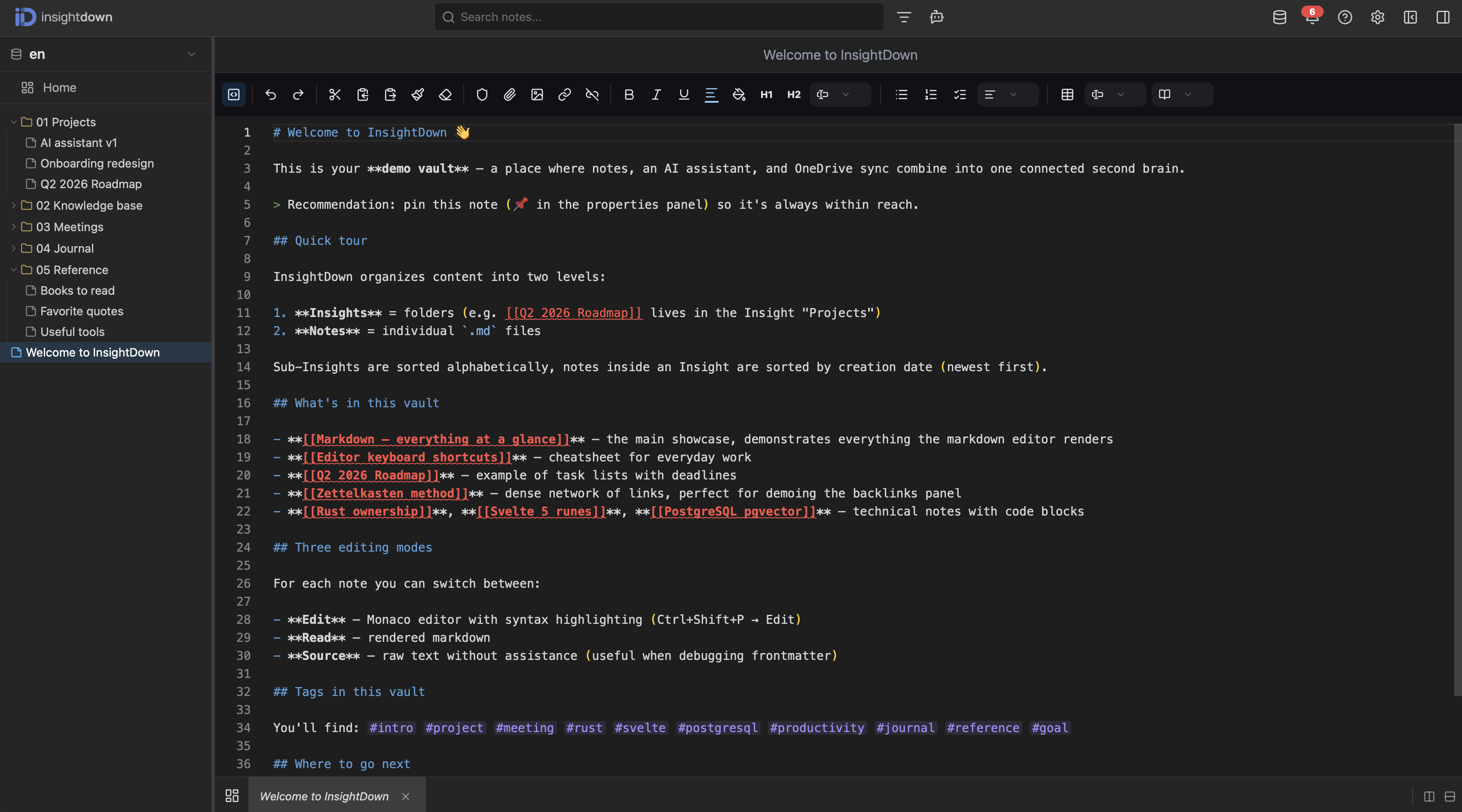
Full-featured editor built on Monaco with support for Obsidian-style wikilinks, tags, fenced code blocks with syntax highlighting, tables, task lists and images with custom sizing. Frontmatter, files and folders sync directly with OneDrive.
Split screen
02

Split screen

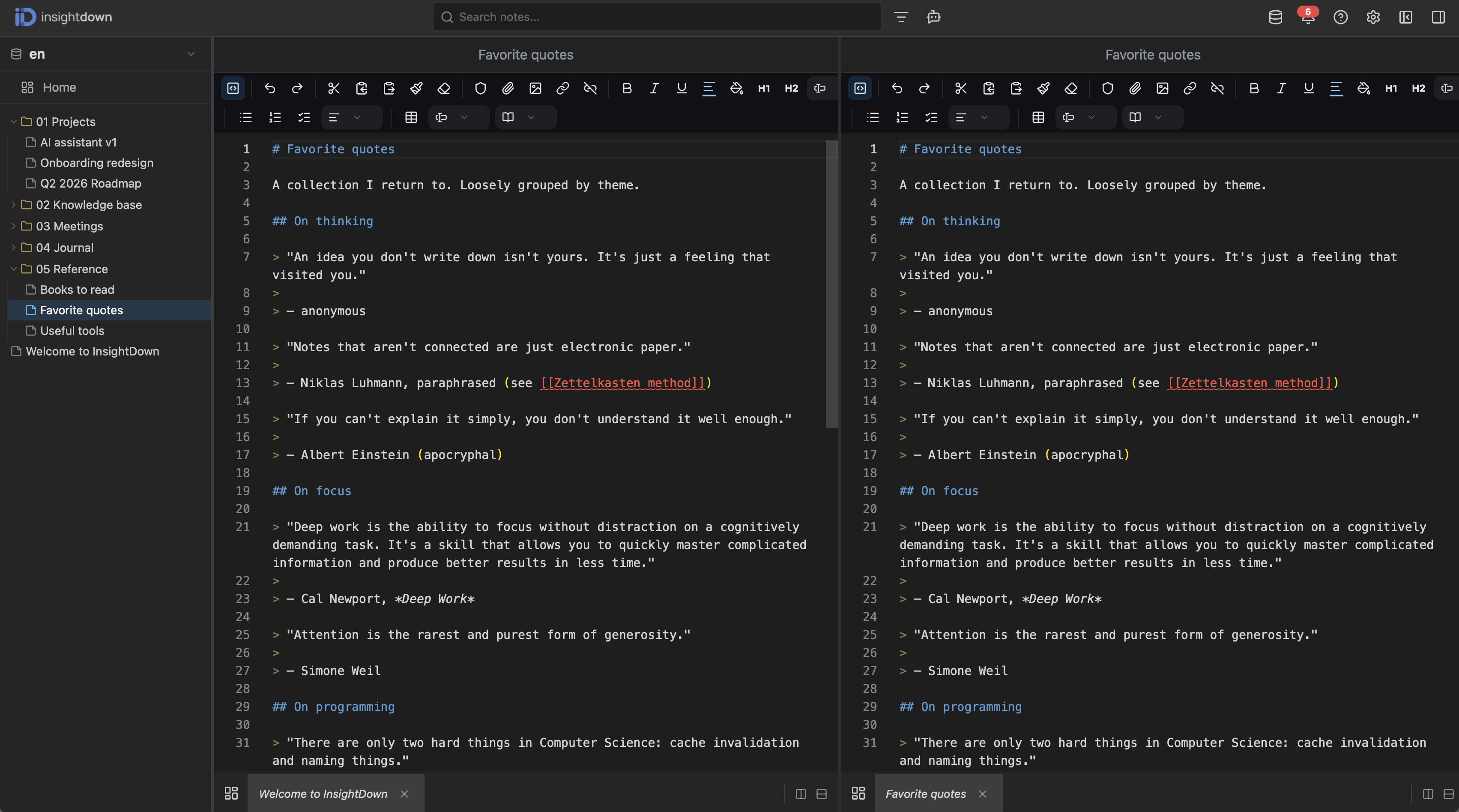
Work on two notes side by side. Vertical and horizontal splits, any number of panes. Perfect for comparing versions, rewriting meeting notes, or keeping a reference next to your main draft.

Toolbar
03

Toolbar

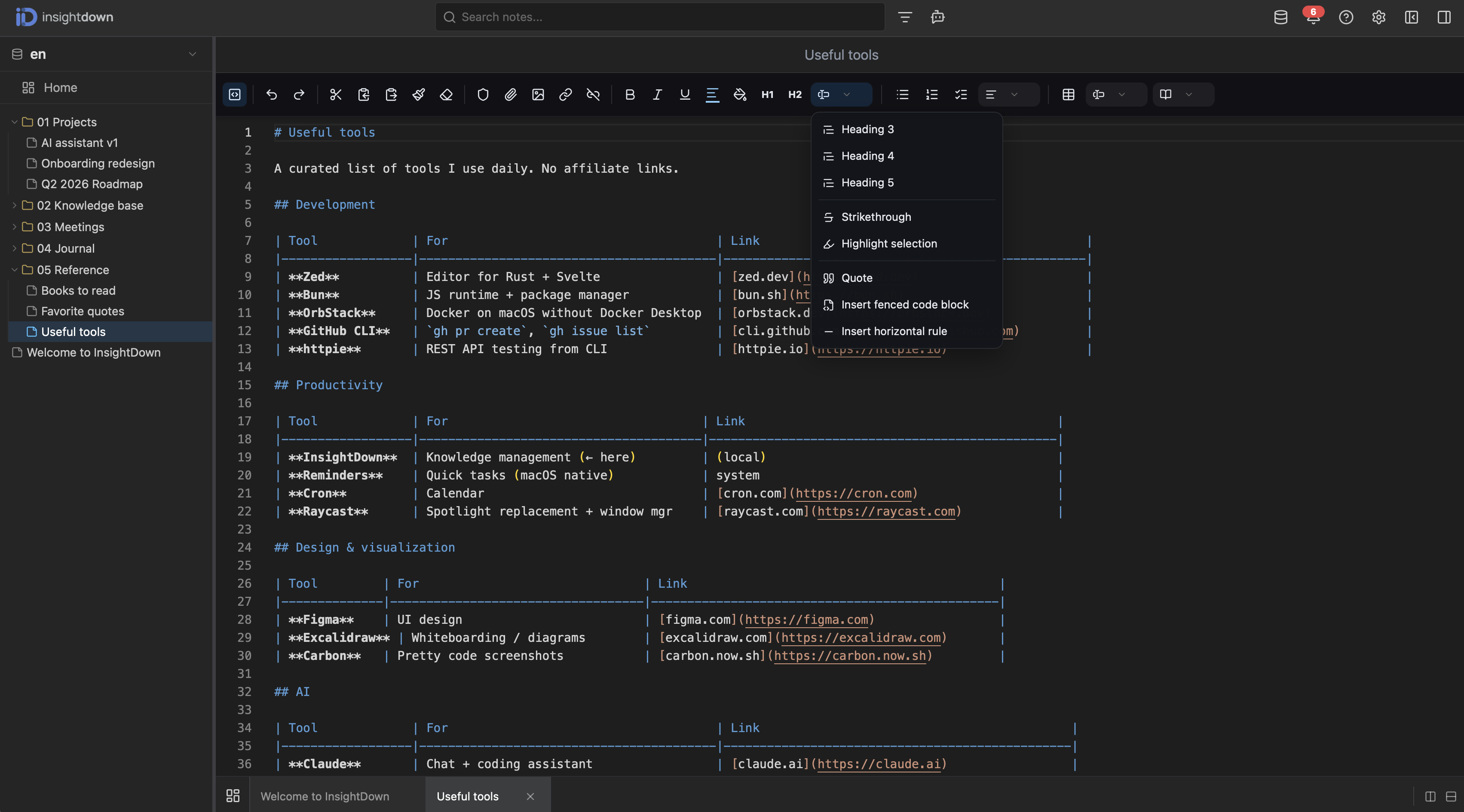
Every formatting action is one click away — headings, lists, quotes, table inserts, code blocks, horizontal rules. Advanced actions like encrypted blocks or highlight selection live in a dropdown.

Metadata & AI summary
04

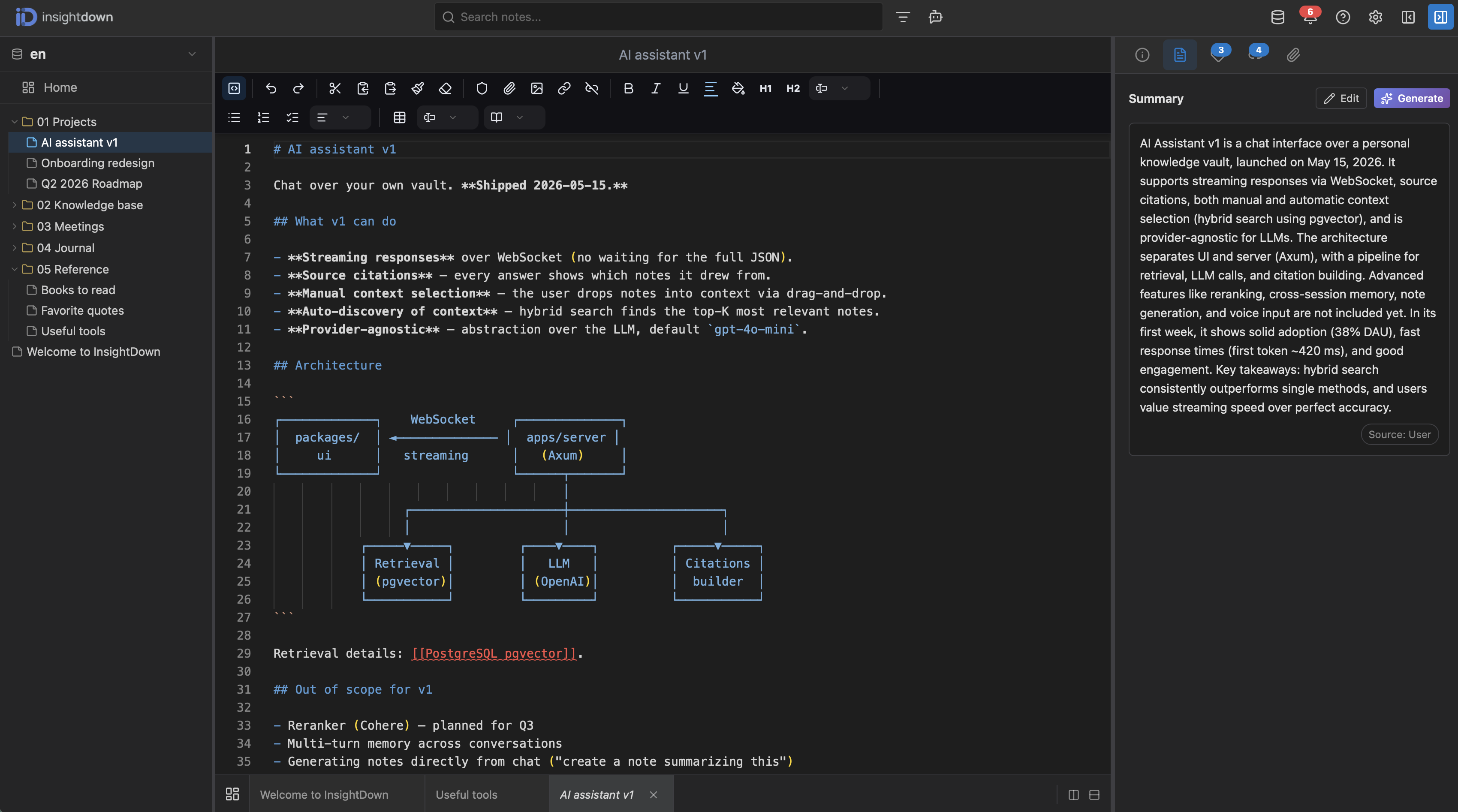
Metadata & AI summary

The right panel shows title, created/updated dates, indexing status and other frontmatter fields. AI generates a note summary with one click — handy for quickly orienting yourself in long-form notes.

Backlinks
05

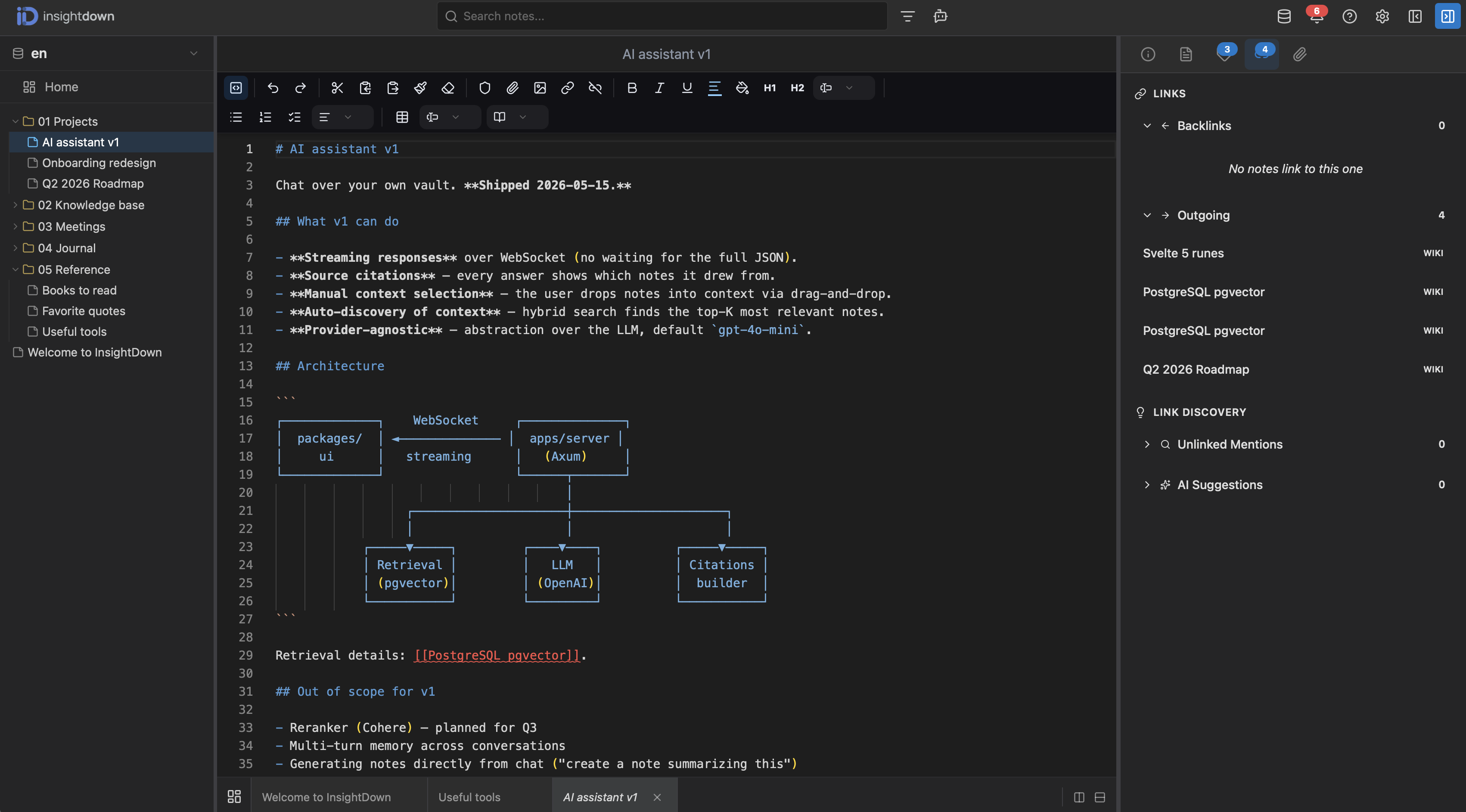
Backlinks

See all incoming references (Backlinks) and outgoing links from the current note. Link Discovery additionally detects unlinked mentions and AI Suggestions recommends relevant connections you might have missed.

Tags
06

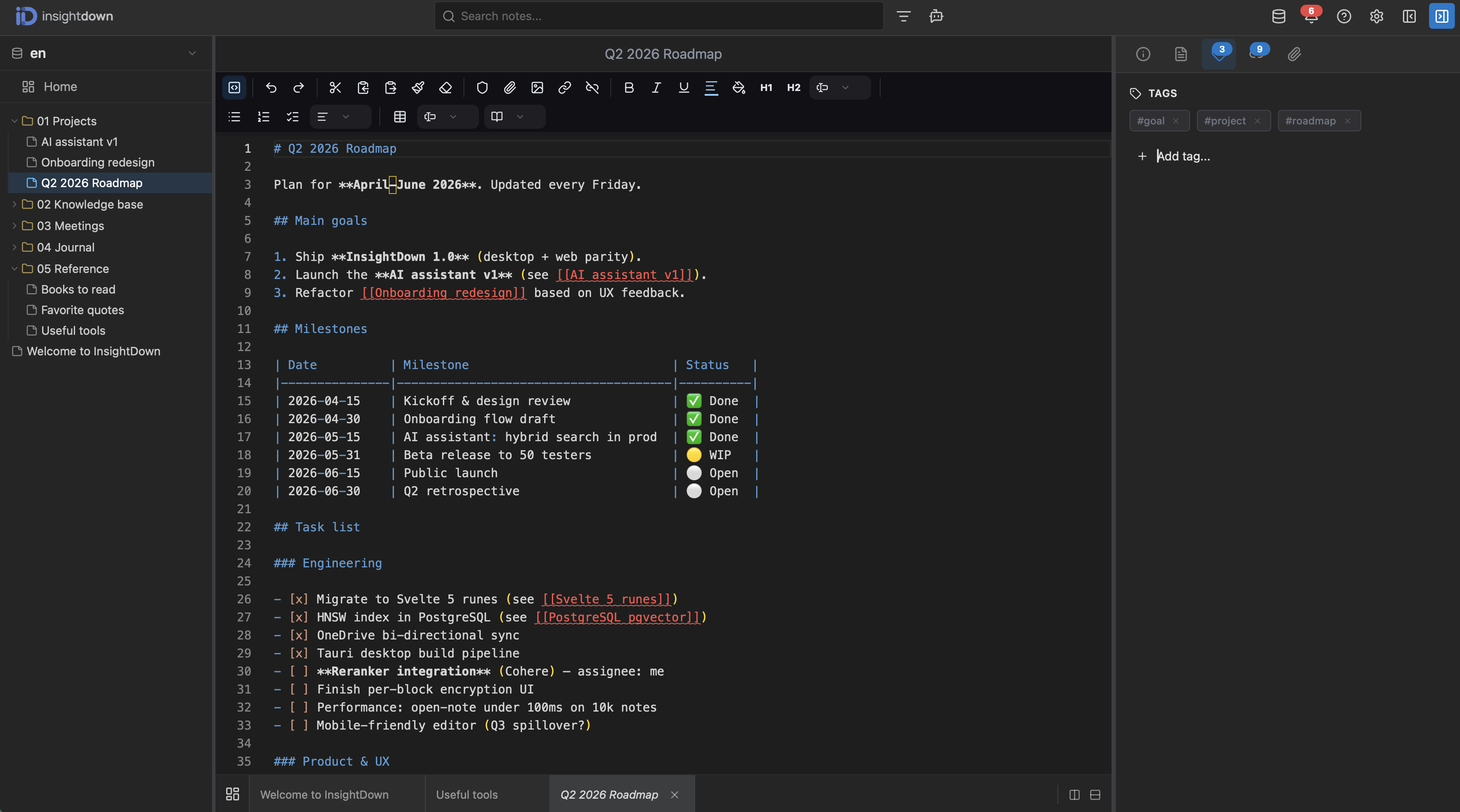
Tags

Tags can be added inline (#tag) or through the properties panel. They sync with the frontmatter `tags` field. Click a tag to filter the entire vault — perfect for thematic projects spanning multiple Insights.

Full-text search
07

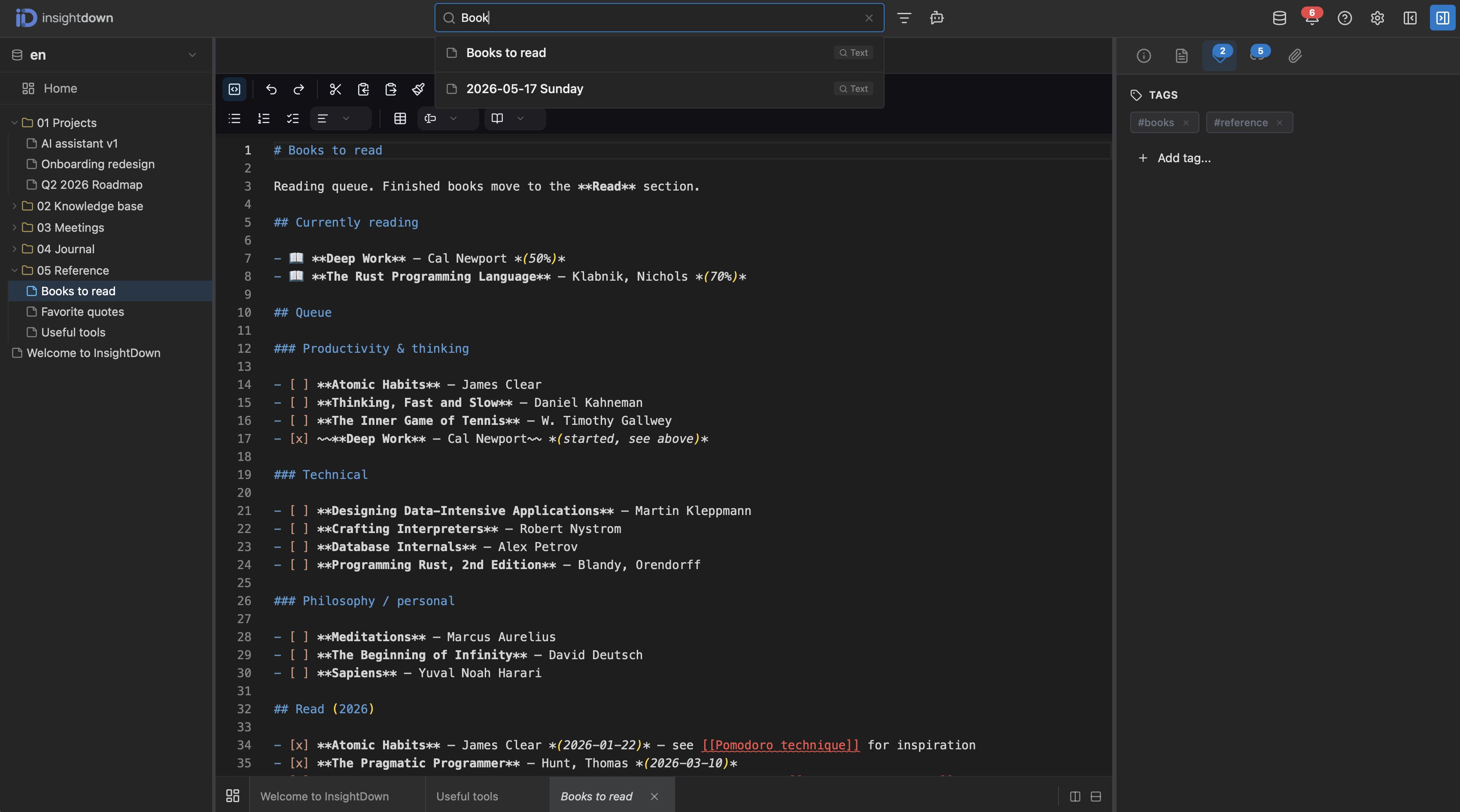
Full-text search

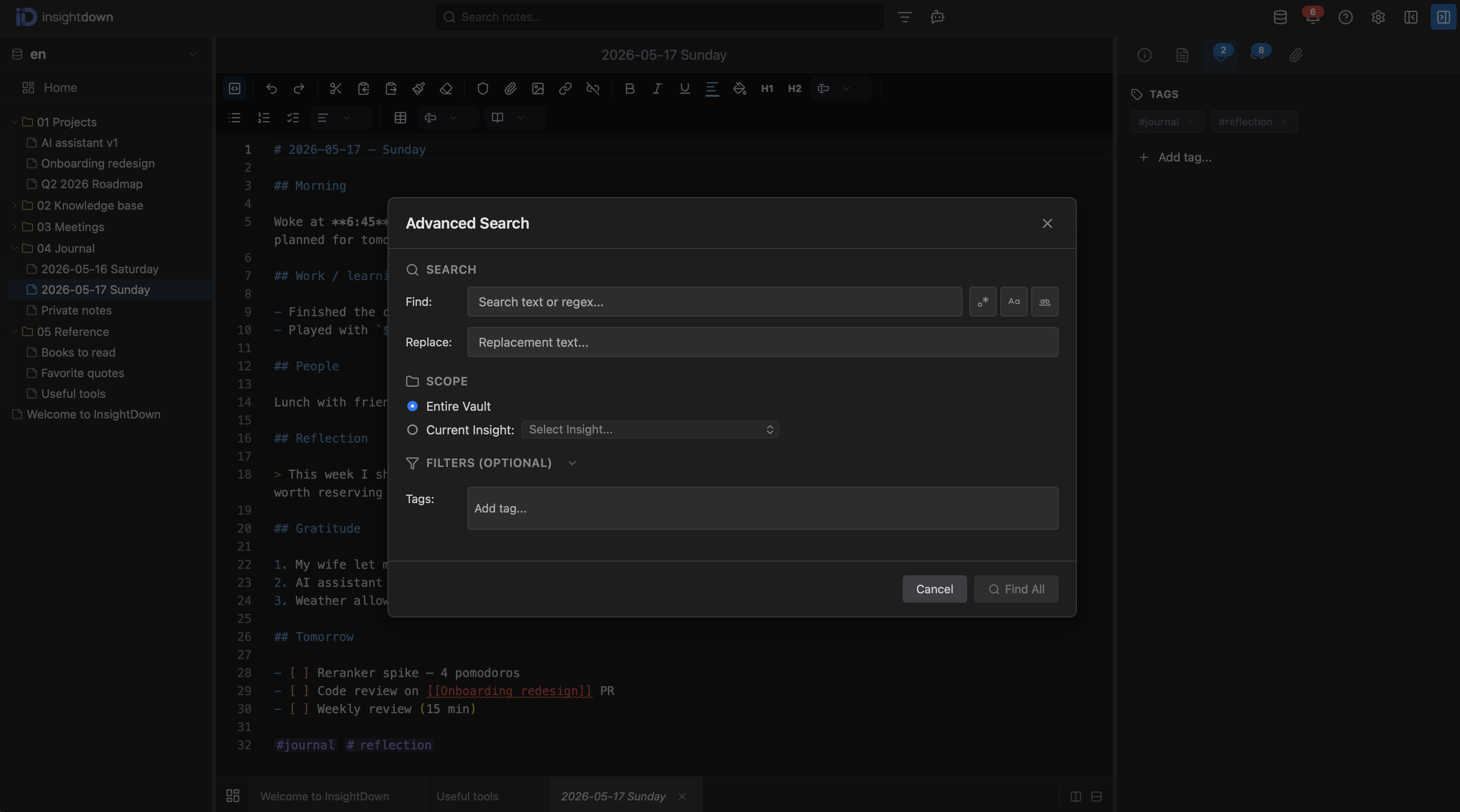
Fast full-text search with regex, case-sensitive and whole-word matching. Find and replace across the whole vault, or narrow the scope to a specific Insight and filter by tags.

Advanced search
08

Advanced search

Advanced search dialog with find & replace, regex matching, case-sensitive and whole-word toggles. Scope your query to the entire vault or a specific Insight, and filter results by tags. Under the hood it's a hybrid full-text + vector search powered by pgvector with an HNSW index — find ideas by meaning, not just keywords.

AI Chat
09

AI Chat

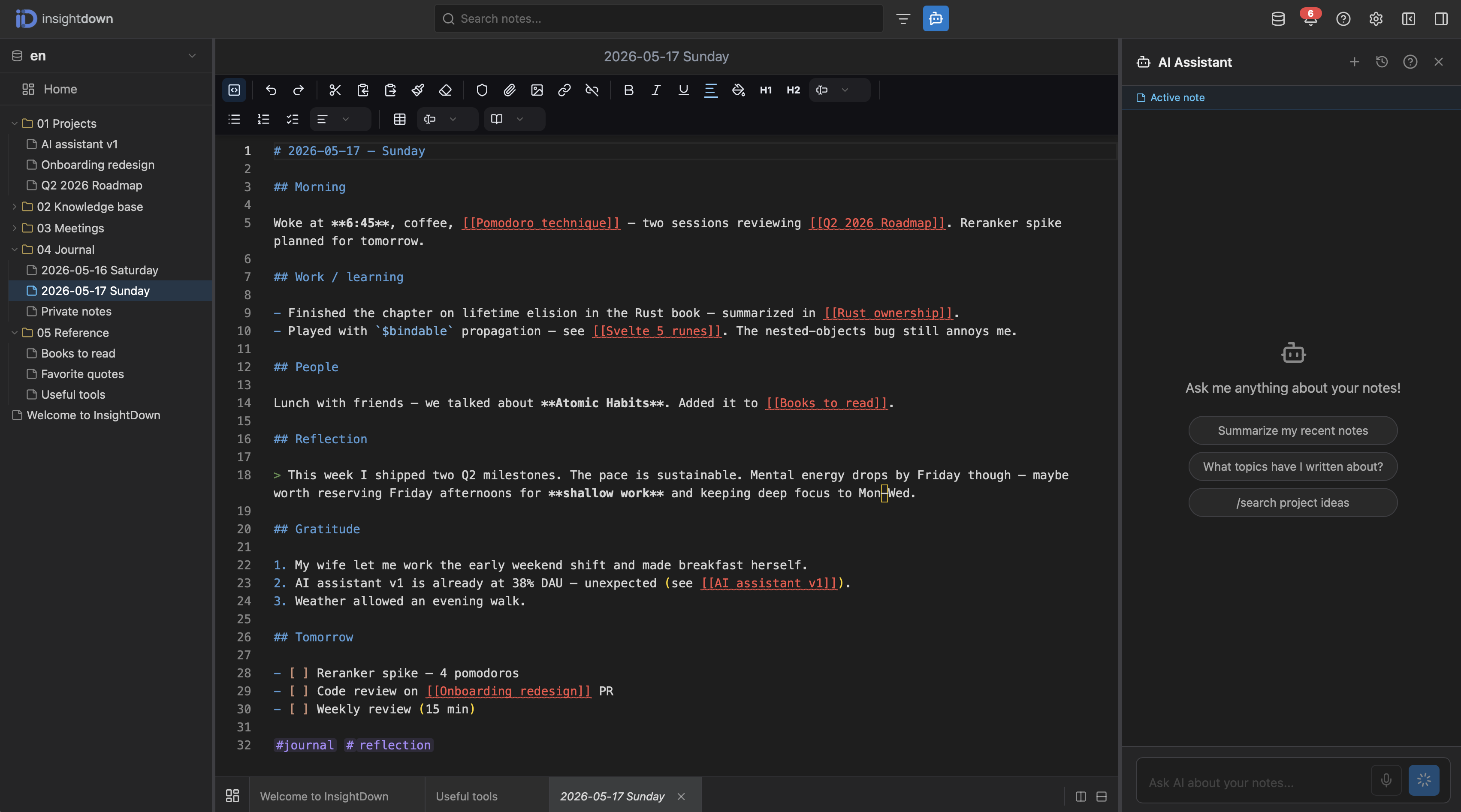
InsightDown's flagship feature. Have a natural-language conversation with your vault. The assistant automatically finds relevant notes via hybrid search, cites its sources, and streams the answer in real time over WebSocket. Supports OpenAI (GPT), Anthropic (Claude), Google (Gemini), Perplexity (Sonar) and local Ollama. Drop notes into context by drag-and-drop or let the AI pick them automatically. Preset prompts like "Summarize my recent notes", "What topics have I written about" and custom slash commands speed up everyday queries.

Settings
10

Settings

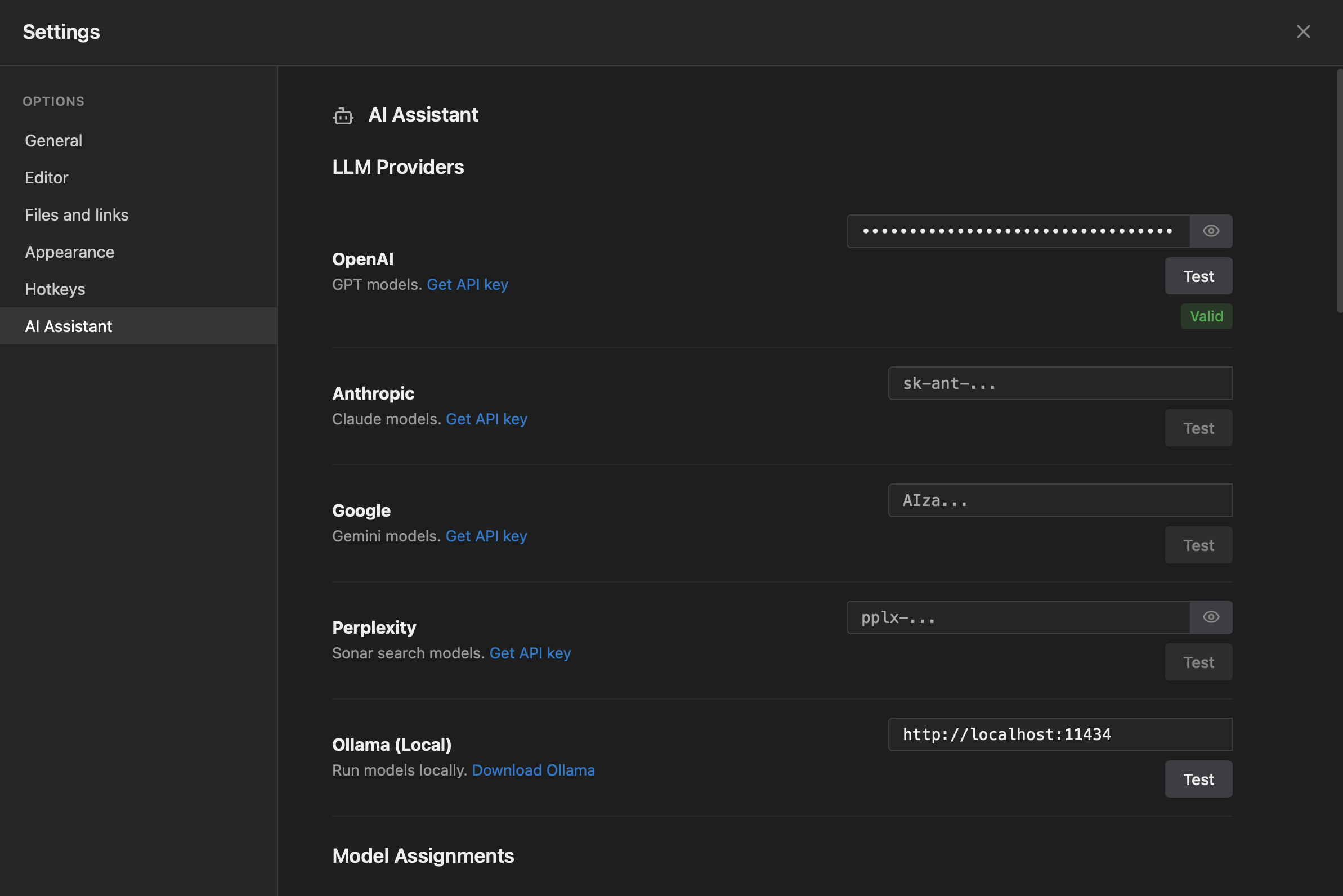
All LLM providers in one place — OpenAI, Anthropic, Google Gemini, Perplexity, local Ollama. API keys are stored securely and validated with a single click (Test). Under Model Assignments you can map different models to different tasks (chat, summary, embedding).